
Control panel overview
Configure, manage and monitor your HyDip-enabled fuel network at https://www.hydip.com/.
The Dashboard will open after login (opens in a new tab).
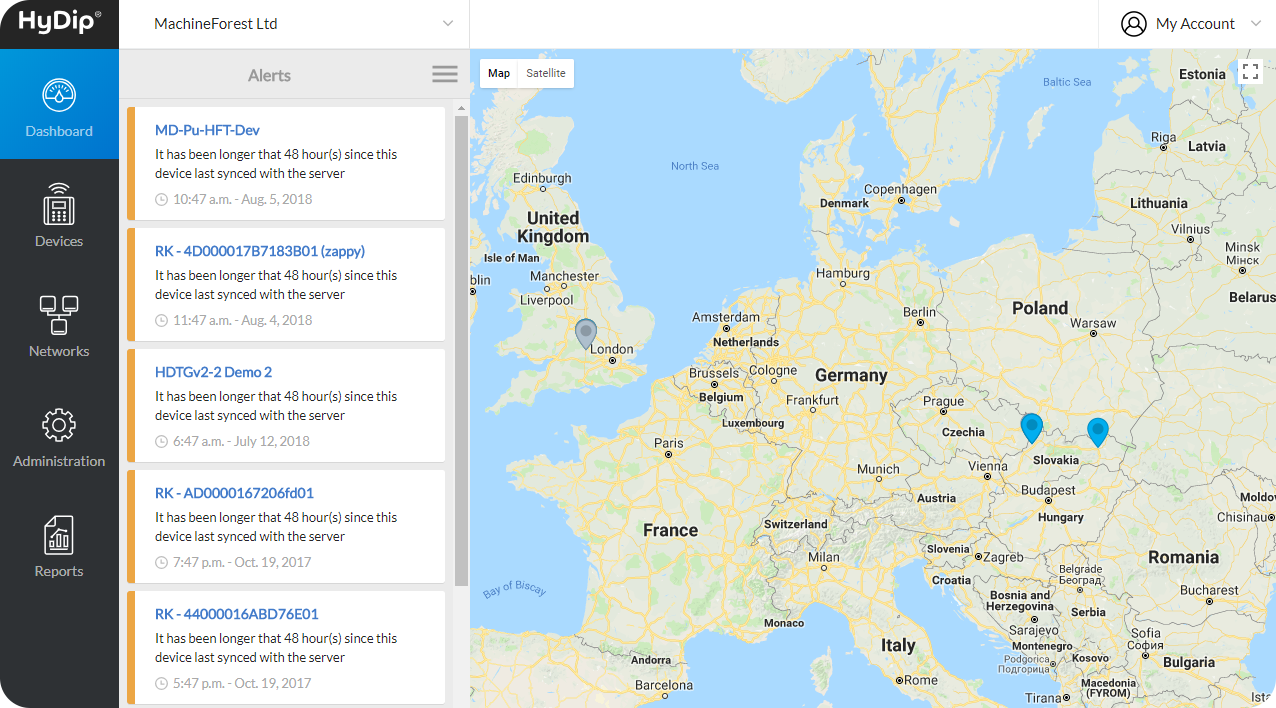
This view comprises an organisation selector (for users managing more than one organisation), the account settings menu, main menu, alerts and the dashboard map.
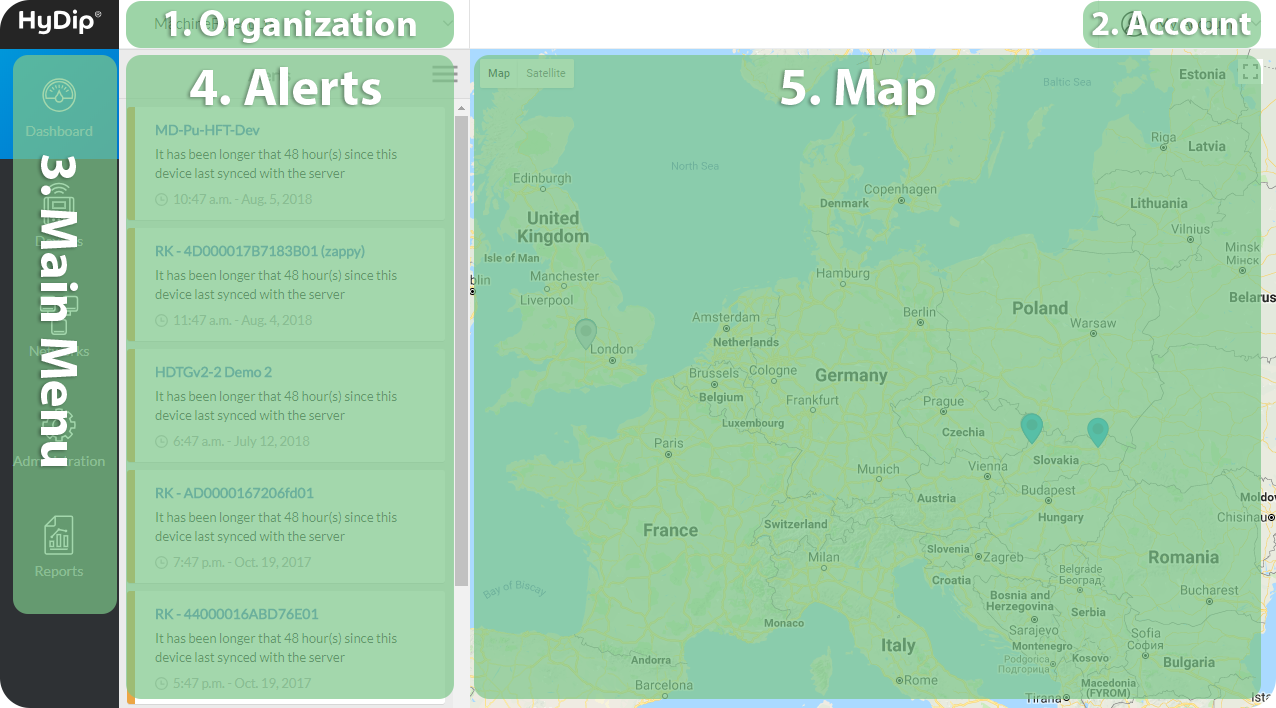
- Organization - This is the top-most level management option. Here the context can be switched to get all the information from other organizations on this account.
- Account - Used to manage the account-specific settings including password and timezone.
- Main Menu - The central navigation panel.
- Alerts - Lists HyDip device notifications including tank level warnings and device activity alerts.
- Dashboard Map - View all GPS-enabled HyDip devices in a single dashboard.
Updated about 1 year ago