
Setting up a Site
A Site is most readily identifiable to existing organisations as a tank site or a fuel stop as it represents a physical location containing tanks and/or dispensers.
Within HyDip, a Site represents part of a fuel network, and thus Site is a sub-component of the Network created in earlier steps.
Creating a Site
Navigate to Administration > Inventory.
Switch to Sites tab as indicated below and click on Create Site in top right corner.
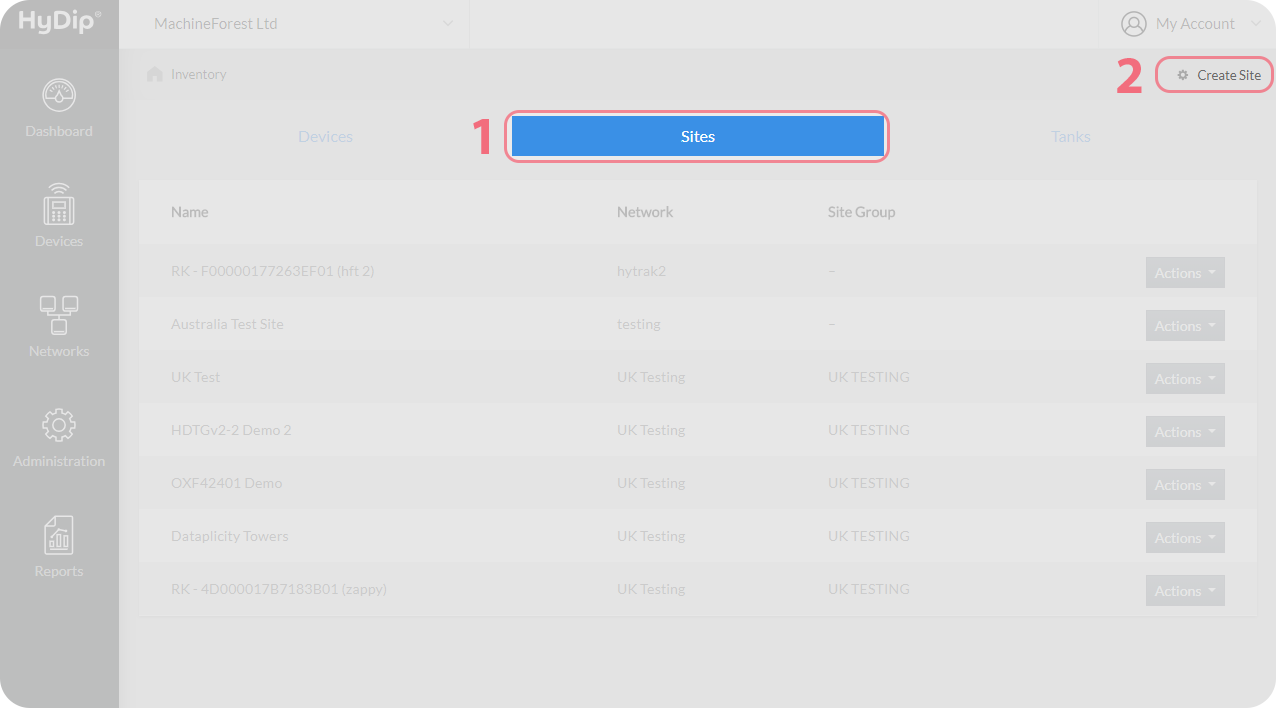
On the next page set the name for the Site and attach it to the relevant Network selecting it from the drop down menu.
Field | Value | Explanation |
|---|---|---|
Name | Example Site | The name given to the Site. |
Network | Example Network | The Site hast to be a part of a Network. This is the Network that the Site will be attached to on creation. |
Click Save and the Site is now created.
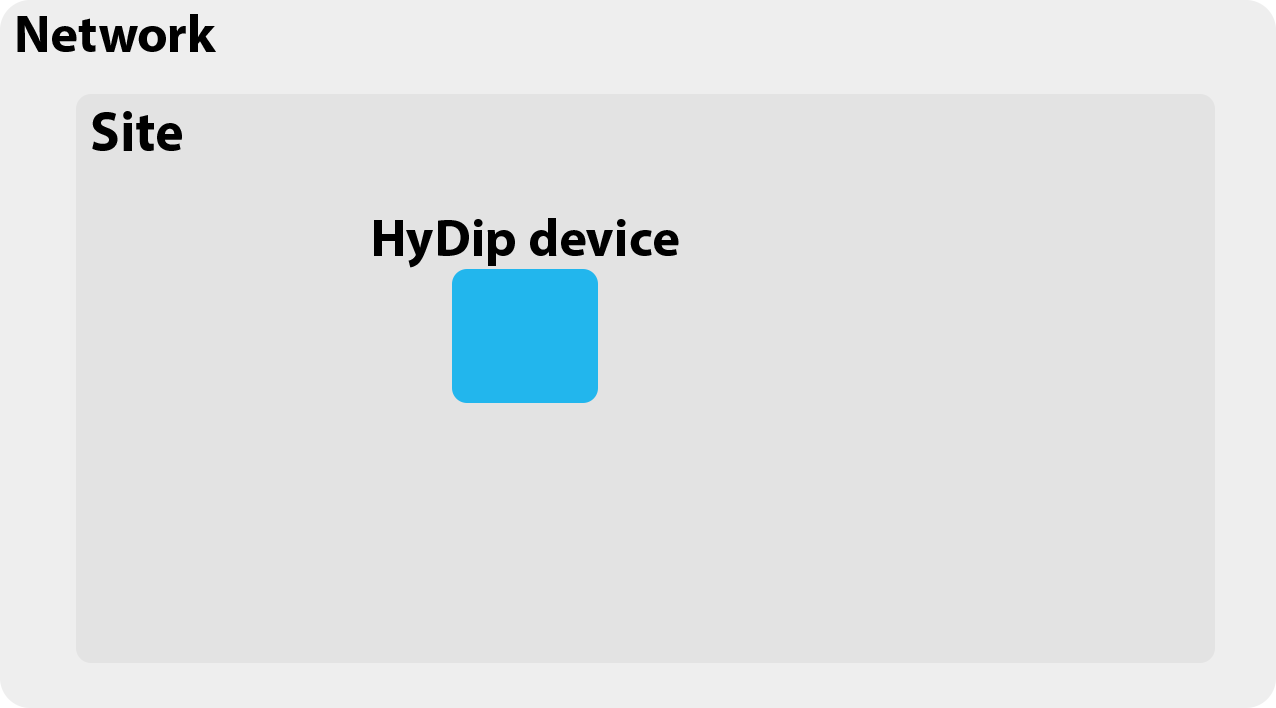
To recap, there is now a Network that contains a HyDip Device and an empty Site.
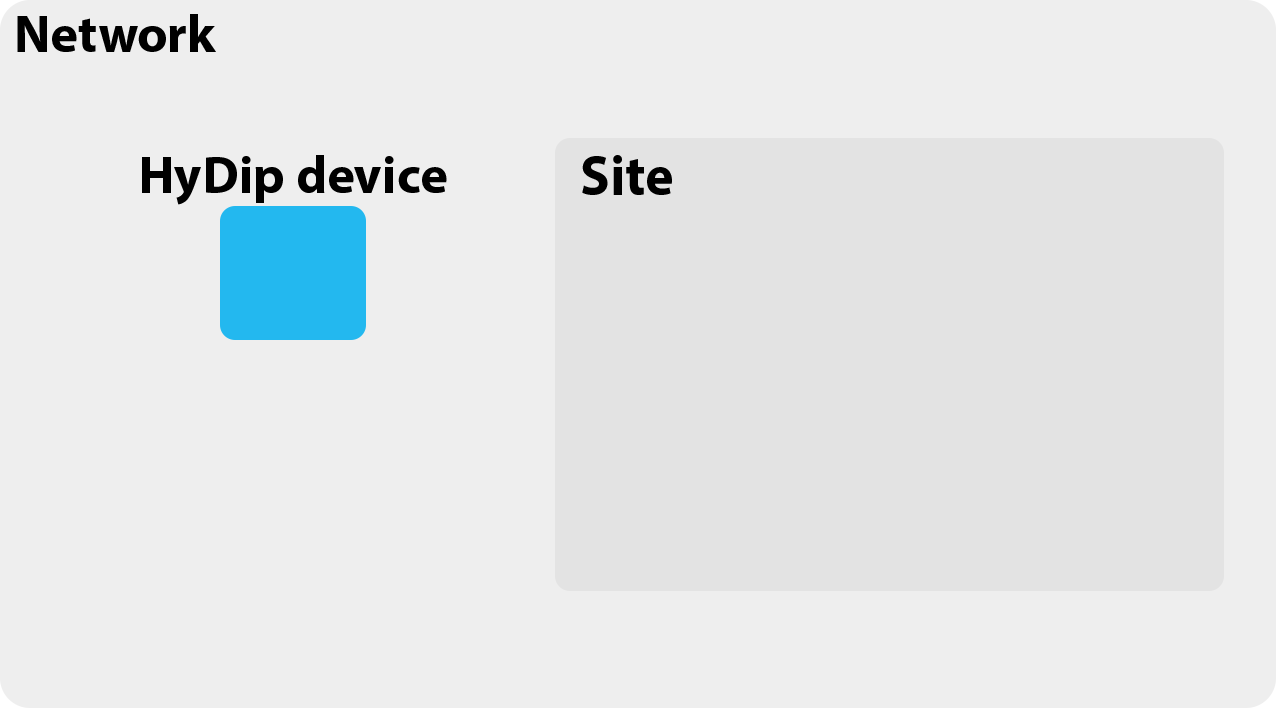
Attaching a HyDip device to a Site
Navigate to Networks > Sites.
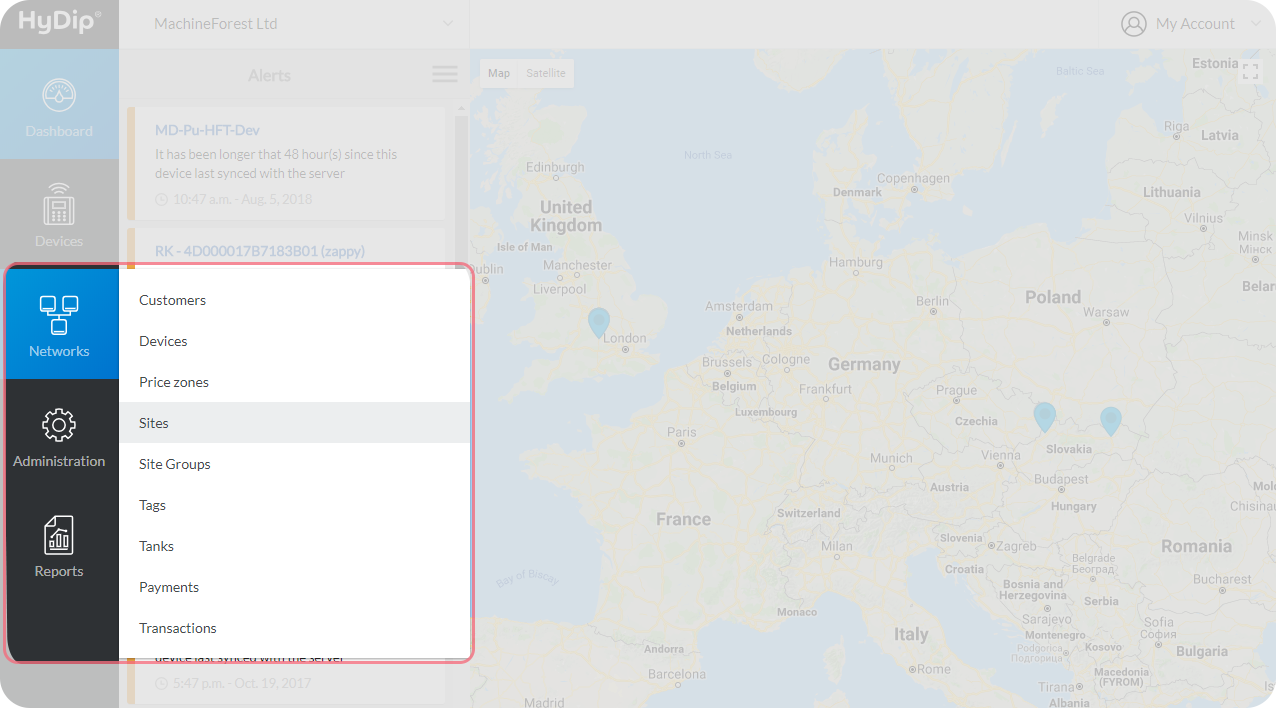
From the Network list select the Network that contains the Site which will have the HyDip device attached. Click on the Site name in the Name column.
Select Devices tab. Click on Add a device in top right corner.
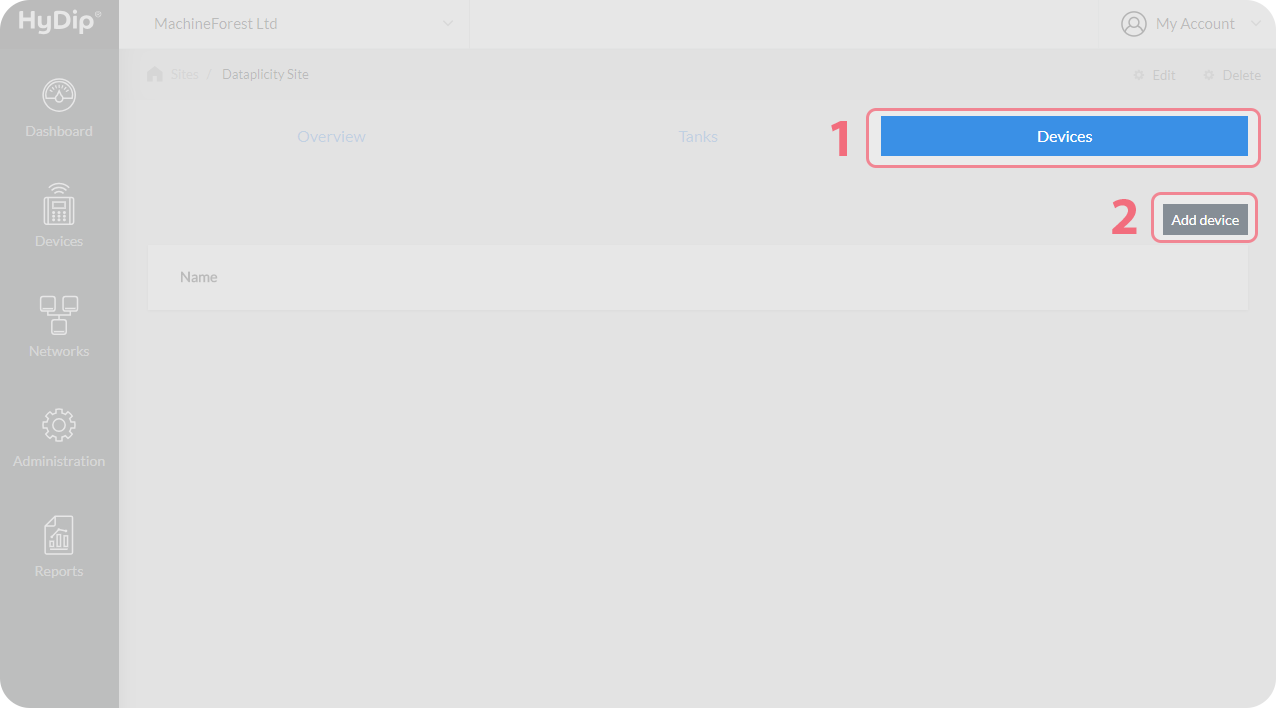
On the next page from the drop down menu select the HyDip device that is to be added and click on Add. This HyDip device is now attached to the Site as illustrated below.
Updated about 1 year ago